work
“I thought I worked 8 hours a day.”
The whole day feels like work. The timeline shows what sat between one thing and the next.
A visual journal of your time
Log your day in blocks, as it happens or afterwards. See where your time went. No stopwatch. No noise.


Free, for iPhone and Android. Start without an account.
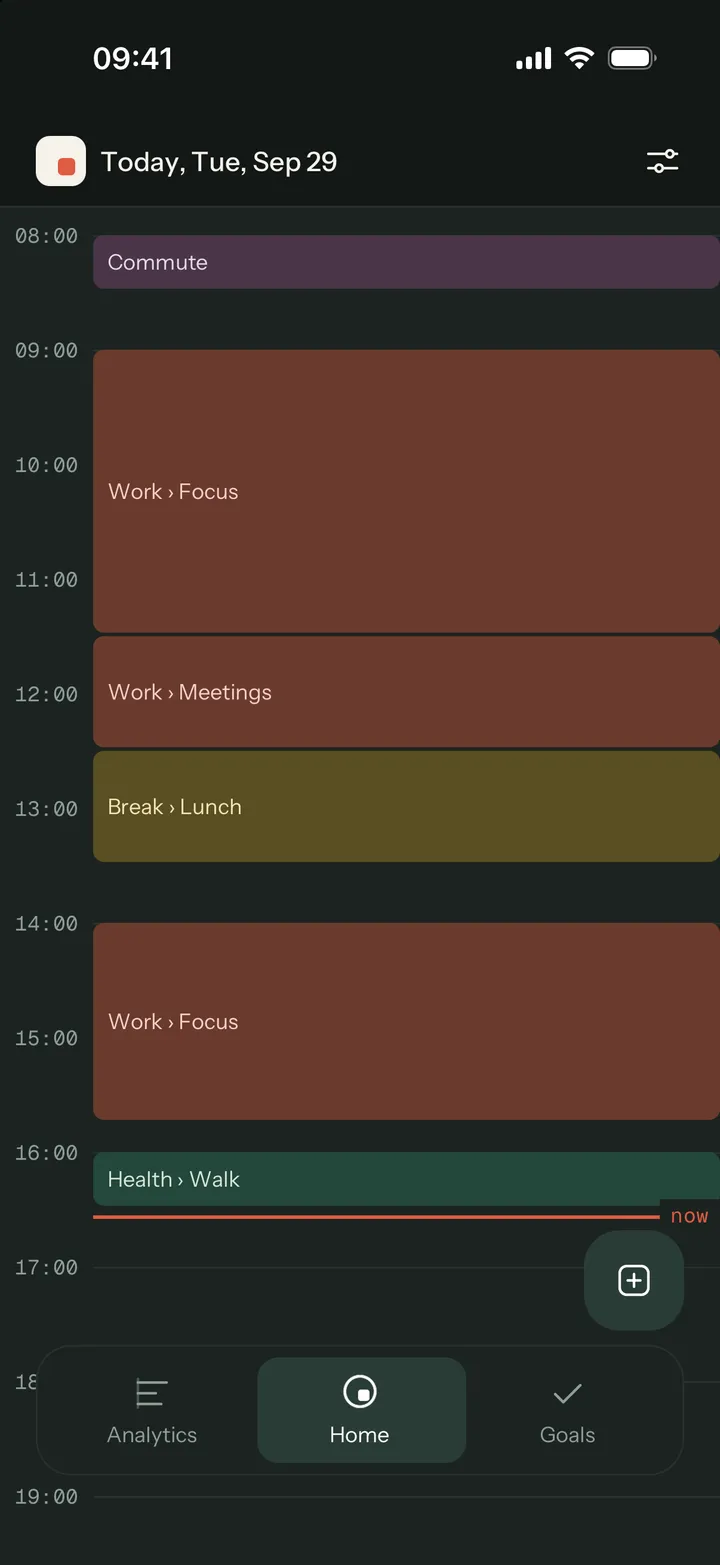
A lot happens between waking up and going to sleep. Work. Meetings. Study. Your phone. Exercise. Rest. Chores. Time with other people.
By the end of the day, it’s easy to feel you were busy without knowing exactly with what.
miolo turns your day into a simple view of your time.
How it works
In miolo, each entry is an activity with a start, an end and a category. The app lays the day out on a timeline and, after a few days, shows patterns by category and by period.
Add what you’re doing in a few seconds: start, end, category. You can also log it later, when you remember.
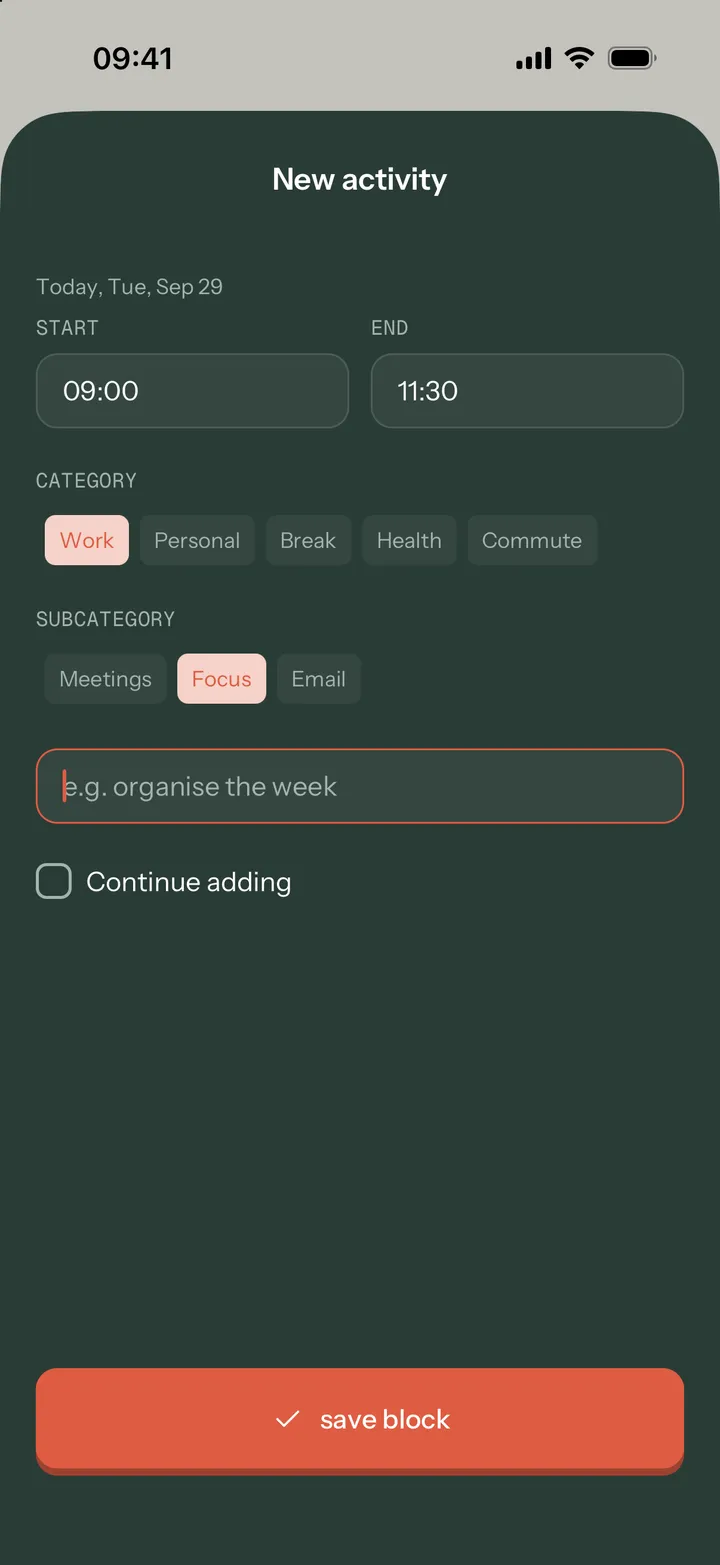
Your day shows up on a simple timeline, block by block, at the time it happened.
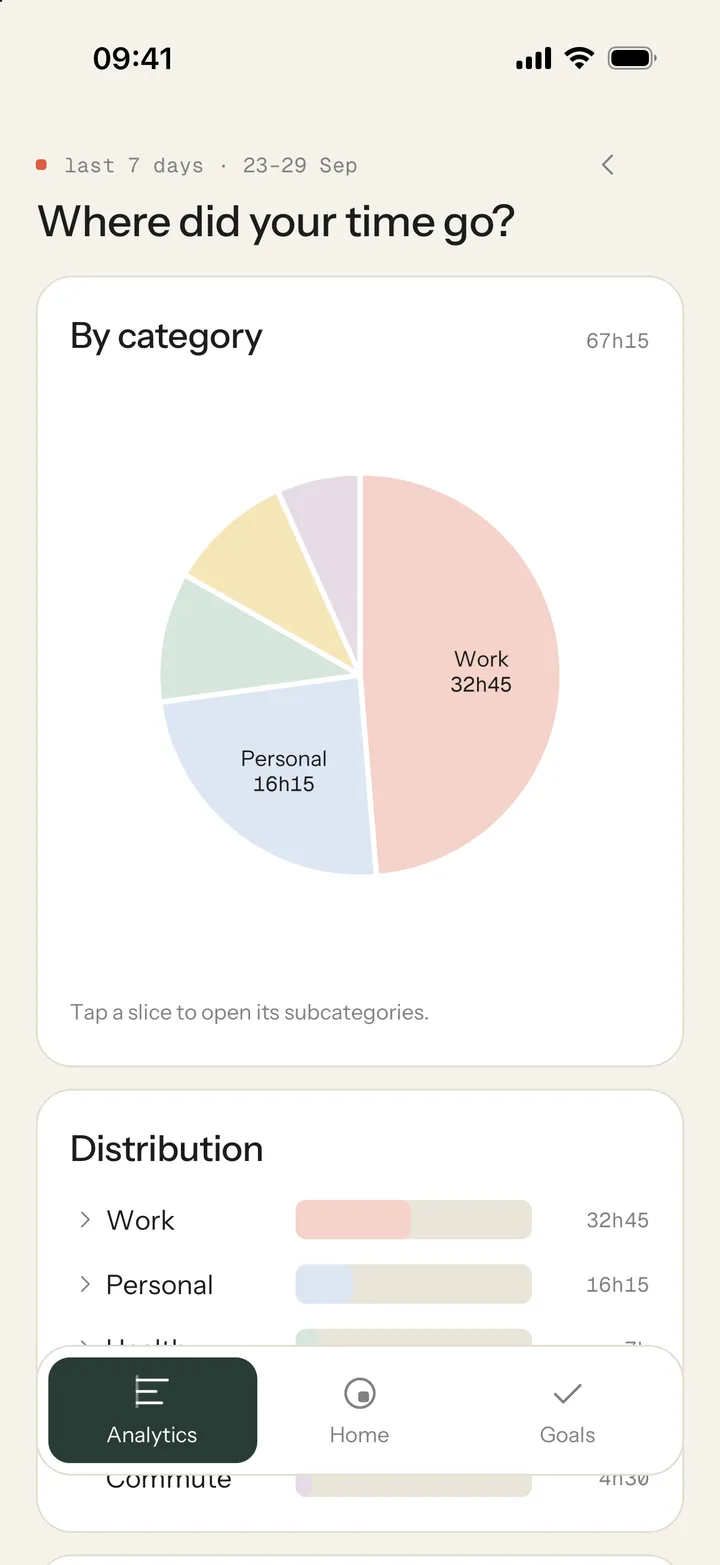
Spot patterns, compare periods and notice where your time is going.
Free, with no ads and no sign-up.
miolo was designed to do the opposite.
miolo is not a productivity app that demands more of you. The idea is simple: to help you pay attention to your own time.
What you find out
work
“I thought I worked 8 hours a day.”
The whole day feels like work. The timeline shows what sat between one thing and the next.
meetings
“I had no idea I spent so much time in meetings.”
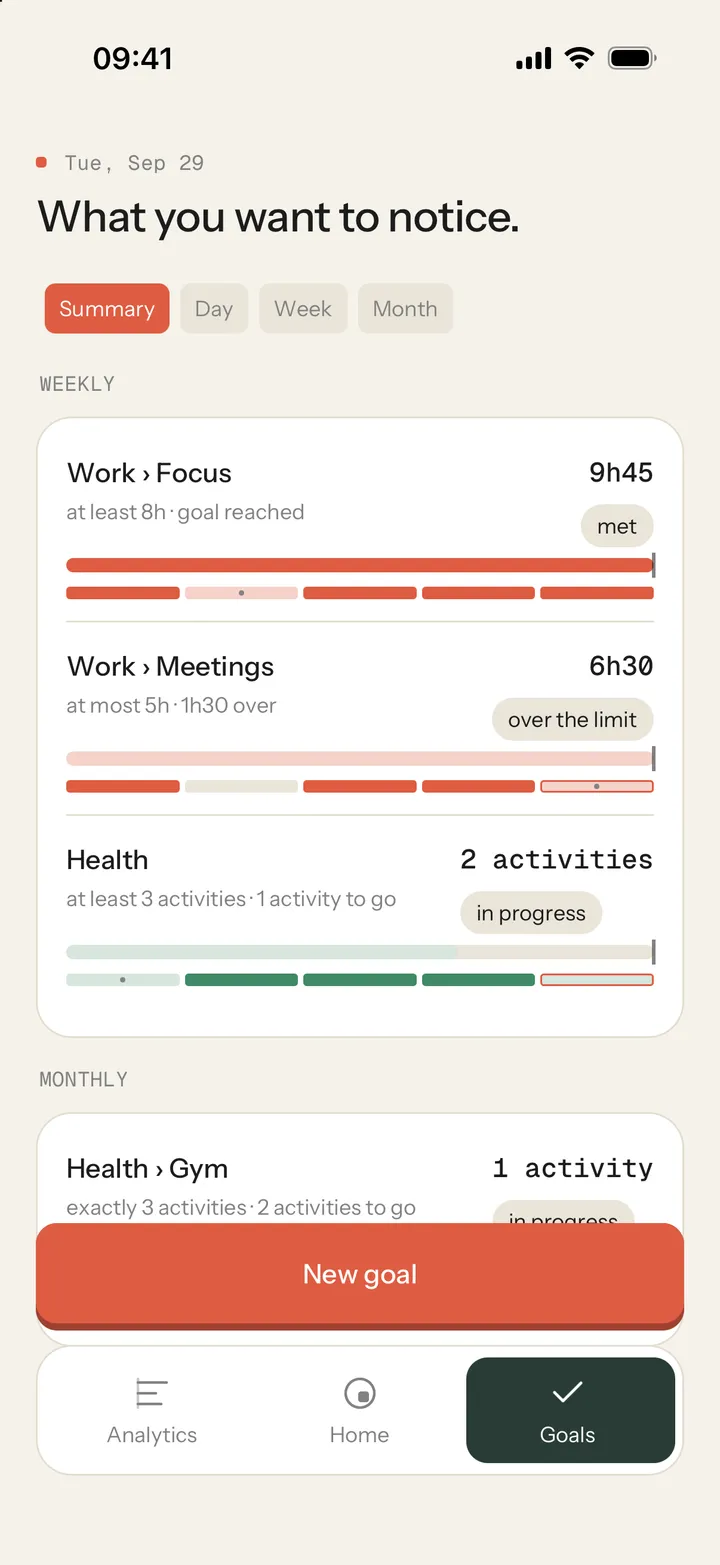
By category, the week tells a different story from the one the calendar told.
study
“I thought I was studying a lot more.”
The intention was one thing. The record is another. The gap between them is where change begins.
gaps
“I never noticed how much time there was between one thing and the next.”
What wasn’t logged shows up as empty space. Sometimes that’s where the day goes.
None of these discoveries comes from a complicated report. They show up on their own, after a few days of looking at your own time.
History and analytics
In miolo, analytics show the last 7 or 30 days, the last 12 months or any period you pick on the calendar. So you notice patterns over time and compare what you meant to do with what really happened.
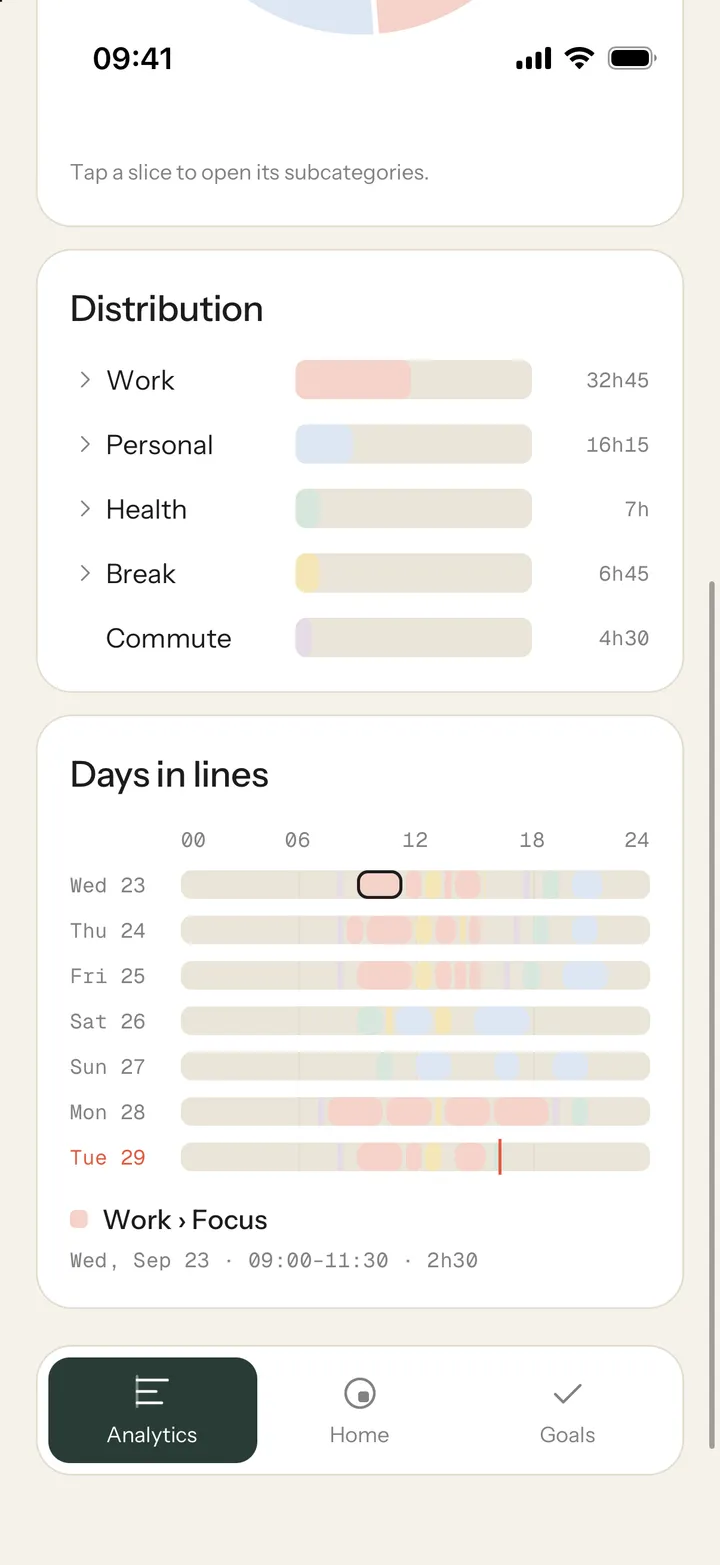
Each day becomes a line. Seven lines, a whole week at a glance.
Sun · 14:24 · in progress
Privacy
miolo works without an account and shows no ads. Start without any paperwork. Your records belong to you.
Everything below is set out in plain language in the privacy policy.
miolo is a personal time log, not a billable-hours tracker or a Pomodoro timer. It works well for:
You don’t need a method or iron discipline. Just a little curiosity about your day.
A personal experiment
Log your routine for seven days. At the end, you’ll have a much clearer view of where your time really went.
Download
Start finding out today where your day is going.
Point your phone’s camera here to open it on your phone.
Questions
miolo is a free time tracking and daily journal app for iPhone and Android. You manually log activities with a start, an end and a category, as they happen or afterwards, and miolo shows your day as it happened: on a timeline, by category and across the weeks. It’s there to show you where your time goes, not to demand more of you.
Yes. miolo is free on the App Store and Google Play, with no ads and no in-app purchases.
No. miolo has no stopwatch: you log activities with a start and an end, in 15-minute steps, whenever you like, including after they happened. Whatever goes unlogged shows up as empty space on the day line, and that says something too.
If you’d like help remembering, miolo can send two reminders a day, at 12 pm and 8 pm. They start off.
No. miolo works without an account. In that case, your records are tied to this device only, and they’re gone if you uninstall the app, sign out or don’t open it for six months.
Signing in with Google or Apple is optional: it keeps what you’ve logged and takes it to another device. You can create the account later: with a Google or Apple account you haven’t used in miolo before, what you’ve logged comes along.
Yes. miolo is available for iPhone on the App Store and for Android on Google Play, in English, Portuguese and Spanish, with a light and a dark theme.
Yes. What you log in miolo stays in your account and isn’t read or analyzed individually. Data travels encrypted between the app and the servers, and access rules make sure each person can only reach their own data. Nothing is sold or used for advertising.
To keep the app working, miolo collects usage events (such as “an activity was logged”, never its content) and crash reports. The privacy policy explains it all in detail.
Not exactly. miolo doesn’t try to make you produce more. It helps you pay attention to how your time is being spent: no streaks, no pressure, no notifications all the time. If that changes anything in your routine, that’s your call.
Still have a question? More questions about miolo.